



Since the beginning, Tana Outliner was always meant to work with AI. Tana Outliner lets you build a knowledge graph where you can add information to help AI understand what content means and how it's connected, through Supertags and fields.
Tana AI provides access to the best LLMs in the world out of the box. We pair each task with the ideal model for the job. Every model will already be fine-tuned for use in Tana Outliner, so you don't have to worry about that.
Included AI credits: AI in Tana Outliner requires a paid plan, which includes a monthly quota of AI credits. If you need more than the quota, you can buy top-ups.
All savings we receive on volume pricing are yours. When you sign up to a Tana Outliner paid subscription, you get access to not only all the fine-tuned AI models we subscribe to, but also the volume pricing we receive.
AI should be like electricity: you turn it on, and it just works.
Tana Outliner has powerful built-in AI features
- Botless AI meeting notetaker: You can import your meetings into Tana Outliner with the Google Calendar integration, then Tana Outliner will send you notifications where you can start transcribing system audio with one click - then get an auto-generated summary and ability to chat with the meetings notes with AI.
- Chat with your knowledge: AI chat is integrated on all Tana Outliner notes, and can be started with one click or by pressing Space below any note. Choose if you want plain AI chat (like using ChatGPT/Claude/Gemini directly) or include your notes as context (pull them in with @ mention search).
- Image generation: turn your notes from meetings, workshops, user interviews or your voice memos into infographics, or build out consistent brand images from your prompt library in Tana Outliner.
- Voice memos: Get your thoughts transcribed straight into notes. Start live transcription with / on any node on desktop. Enable audio-enabled fields and supertags get a recording button to easily start dictating.
- AI actions require credits to run. Monthly AI credits are included in both free and any paid plan. Credits can be topped up as you need.
- Multi-model (paid plans only): select from leading models from OpenAI, Anthropic and Google, to build powerful workflows.
- AI in Tana Outliner gives you multiple models out of the box. But if you want to use your own Open API key for some things, we have left two commands (Ask AI + Ask AI (non-streaming) that you can use with your own OpenAI key.
Transcribe meetings without a bot with the Meeting notetaker
The new, botless meeting notetaker lets you record and transcribe your meetings in real time, directly from Tana Outliner Desktop. It captures system audio, meaning it records not just your voice, but also everyone else's - perfect for meetings, lectures, live streams, and shared audio.
This feature is ideal for situations where inviting a bot isn't possible or preferred, and you still want to capture everything in one place. See more in Meeting notes in Tana Outliner.
Generate images with Nano Banana Pro
In Tana Outliner, you can generate AI images on the fly while working on your notes, without needing to switch to a different tool like Midjourney or Google Gemini.
Go from note-taking or meeting transcripts to sharing whiteboard sketches, infographics, cartoons or napkin drawings in minutes. Tana Outliner lets you experiment with finding your style for prompts, and build up your own prompt library for image generation.
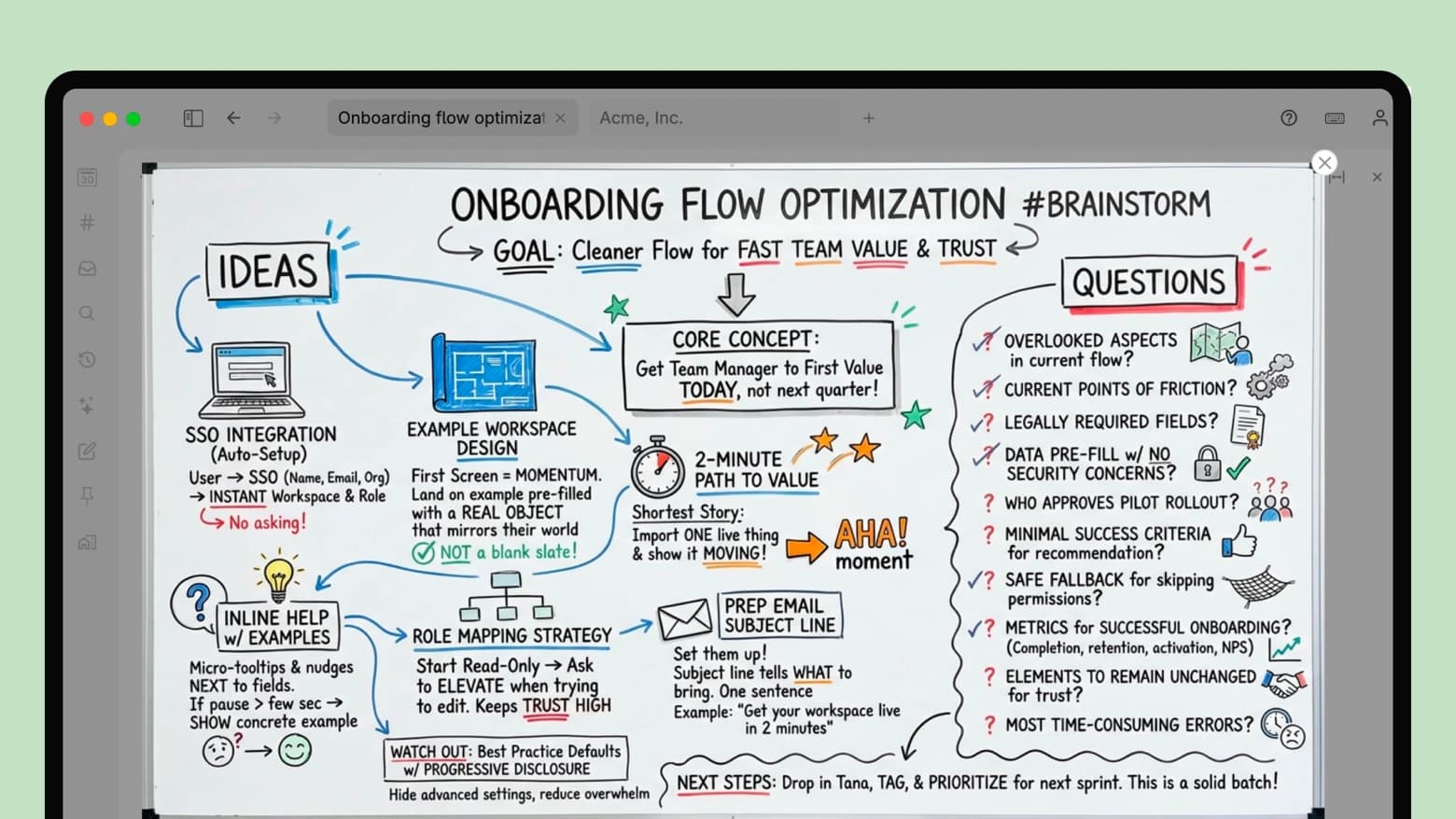
You can access image generation from two places:
- Use Generate banner image at the top of any node
- Type / and select "Image/file", then select "Generate image"
- Or simply write your prompt, then type Cmd+KCtrl+K > Generate image with AI on the node
You can also build your own custom command nodes for image generation or download these templates with pre-built commands you can add to your supertags.
Read more about image generation in Tana Outliner ->
Mobile voice memos
Instantly capture ideas, thoughts or plan your day by talking to your phone. Tana Outliner will transcribe your memo and turn it into structured content by autofilling fields if you apply a supertag. See more in Voice memo
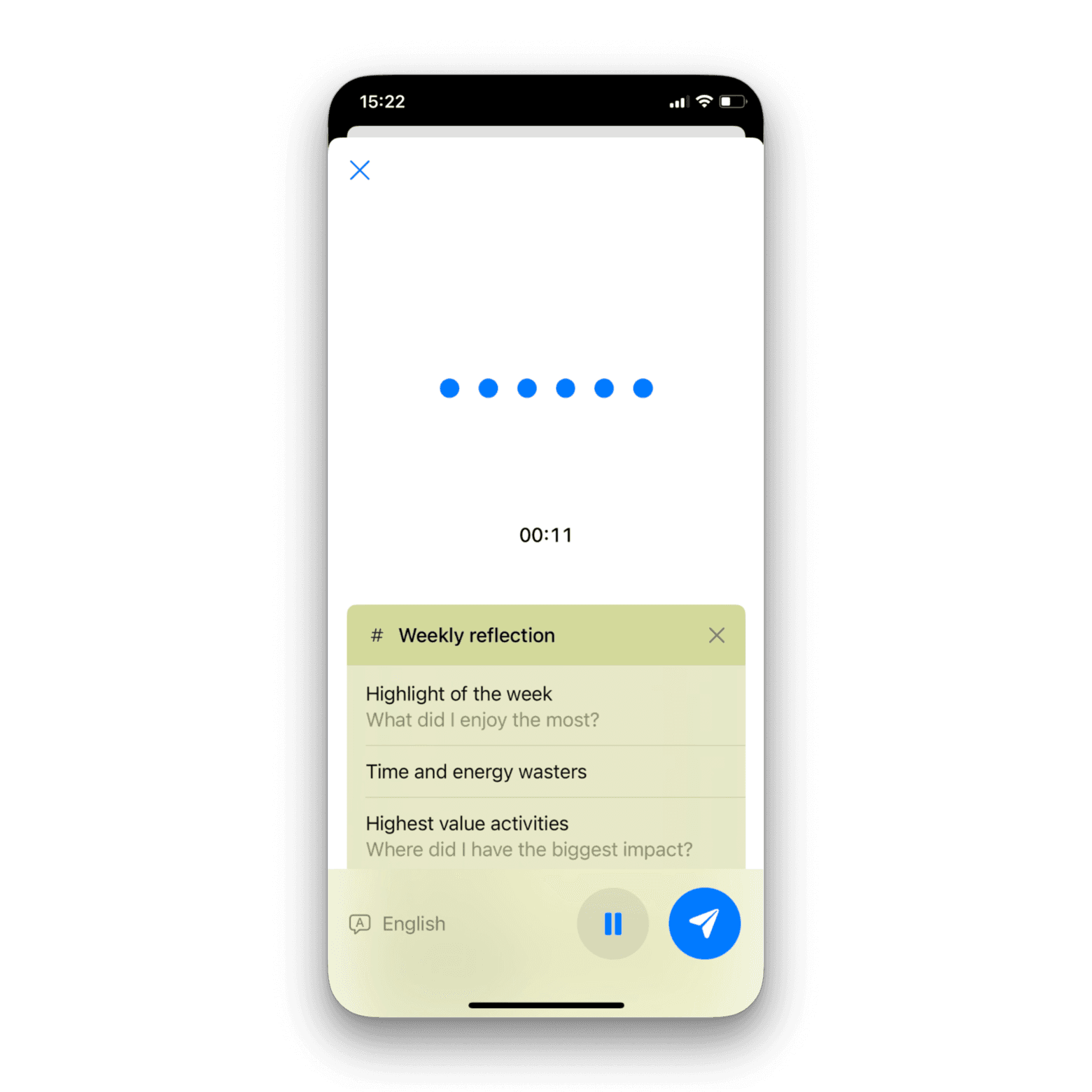
Live transcription (desktop)
Start dictating and see the notes in real-time as you talk. Great for hashing out an idea for a blog post or article, drafting feedback, writing emails or capturing fleeting thoughts. 60 languages supported.
See more in Live transcription.
AI chat
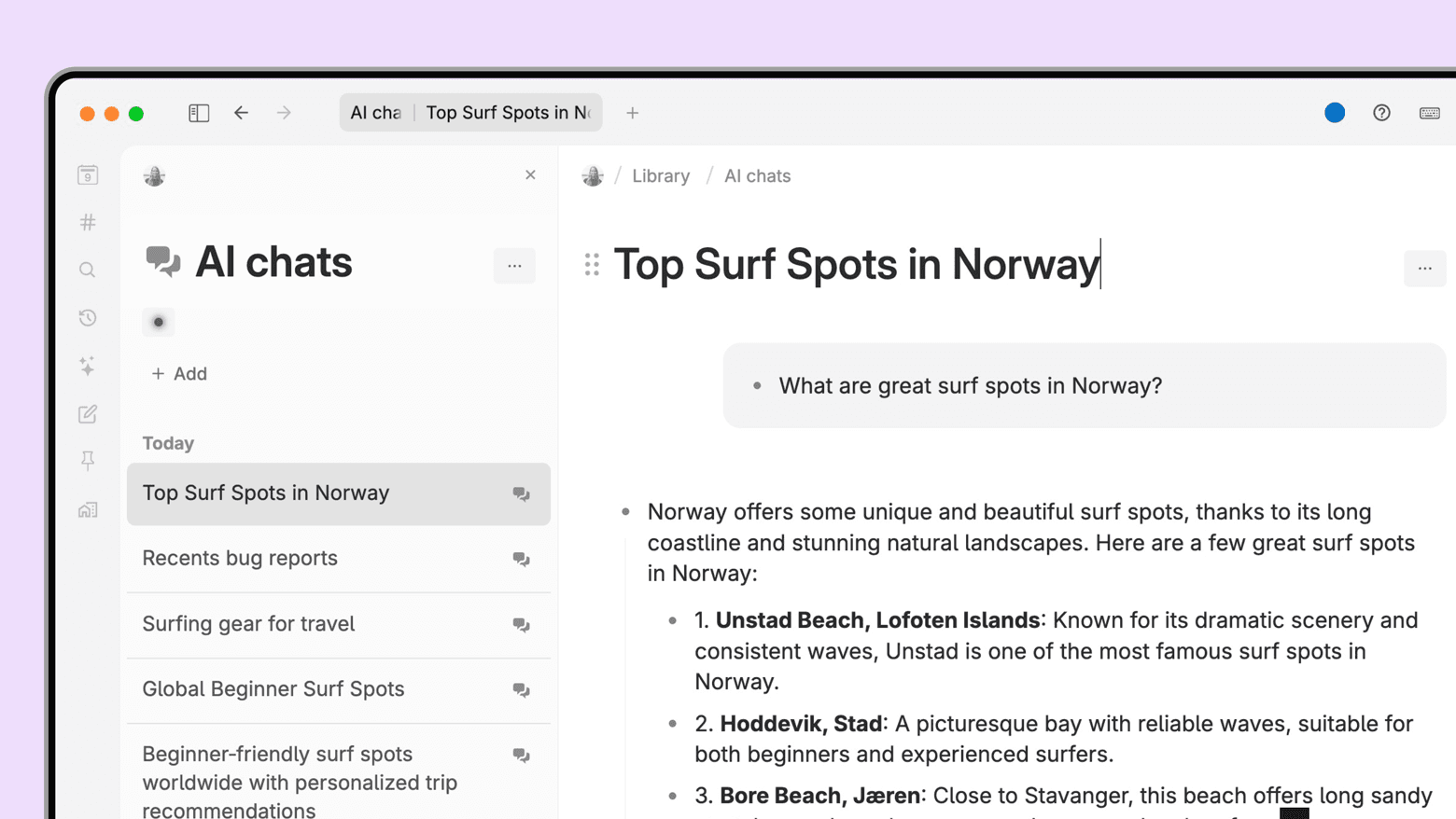
Access AI chat by clicking AI chats in the sidebar, which displays all your conversations and lets you start new chats. You can also press Space below any note to start a chat with that note as context. Or click Ask AI about this content on any panel.
- Easily include any context using @ mention search.
- Edit AI responses and apply Supertags to integrate parts of responses into your workspace.
- Select from multiple AI providers (OpenAI, Anthropic, Google) and reasoning levels within you chats.
- Automatic prompt caching for all model providers reduces token usage in ongoing conversations.
- Web search across all models for up-to-date information.
Tana Outliner's integrated AI chat is available on any note to help you iterate on, rewrite or get insights from your content. Read more in AI chat.
Meeting agent (in-call bot)
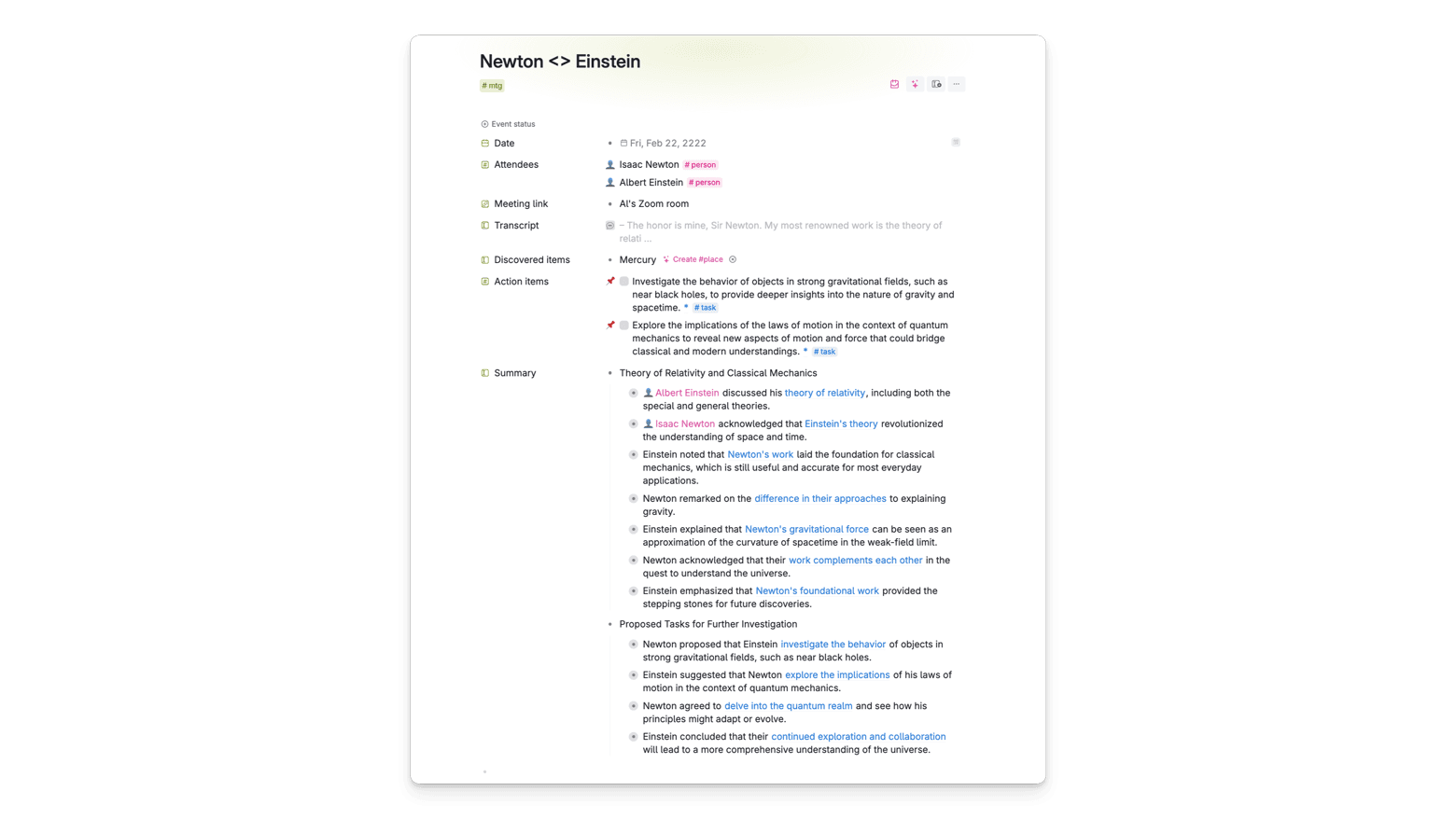
Records, transcribes and extracts tasks from you meetings, and generates a shareable summary.
- If you are not able to join a meeting in person, or need to join from mobile, Tana Outliner offers a meeting agent that you can add to your calls.
- It will show up in the meeting as a bot, provide a transcript of what each participant is said, create a summary and suggest action items.
- This is recommended in situations where it's important with high accuracy in speaker detection. In most situations or if you do not want a bot in the meeting, you should use the Meeting notetaker.
See more in Meeting agent.
Calendar integration with classification
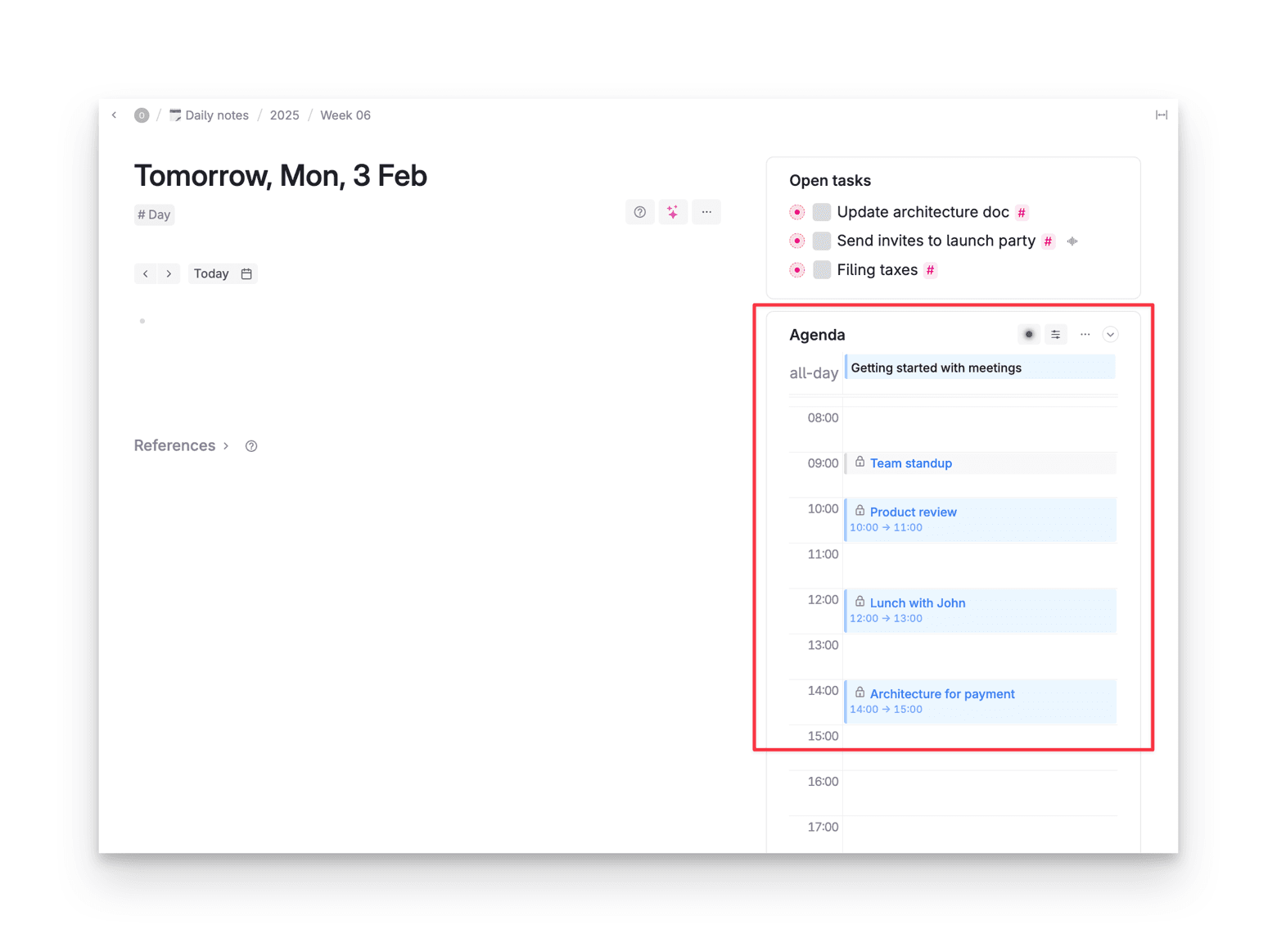
The Google Calendar integration will import your meetings, classify them with the right supertag and show them in a calendar on your Today page, so you can start taking notes with one click. Get notifications for upcoming meetings to take notes with one click. See more in Calendar integration.
AI commands and events
AI commands
Several new AI commands have been added that provide powerful AI tools to a Tana Outliner near you:
- Add meeting bot: Sends a meeting agent to a video call to transcribe what participants are saying
- Text processing agent: Takes a transcript, extracts information and puts it in a target location.
For more on command nodes, see AI command nodes
Events
We have added a new way to trigger commands to happen when nodes are added or removed from another node. They are called Events, and can be set up for any node and supertag.
For nodes: Run Configure node and go to On child added/On child removed:
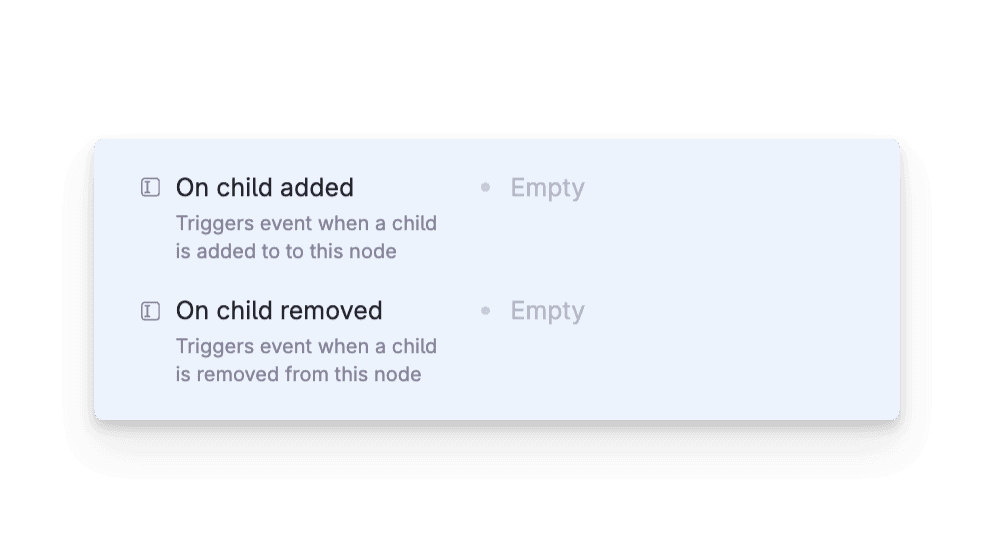
For supertags: Go to Supertag config > AI and Commands > On added/on removed
Manage how you use AI in Tana Outliner
Tana Outliner comes with several tools for managing AI work:
AI credits
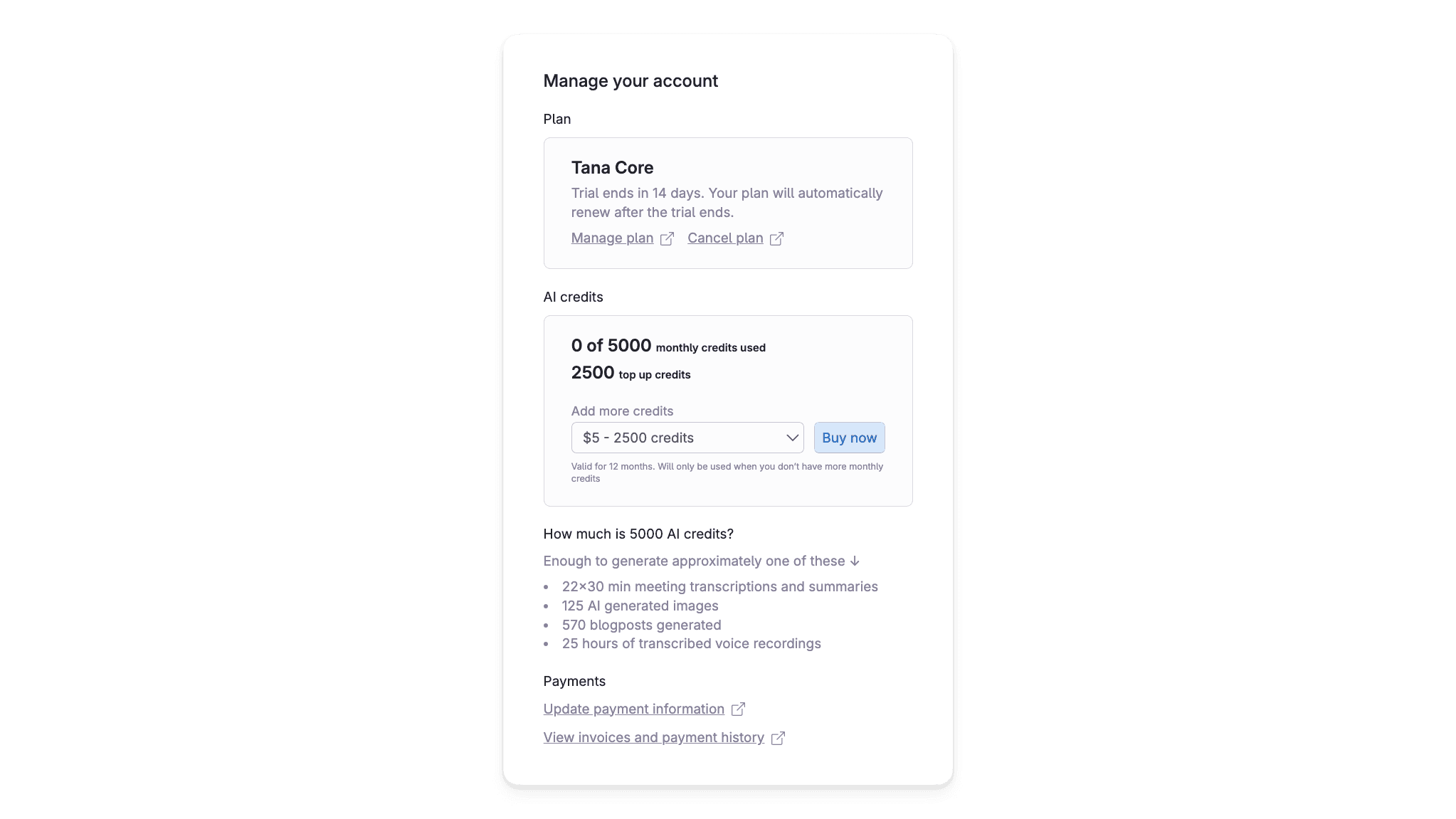
All Tana Outliner paid subscribers get 5000 credits every month to spend on AI actions. This translates to the following:
- 22x30 min meetings
- 125 AI generated images
- 570 blogposts generated
- 25 hours of transcribed voice transcription
If you are out of credits, you can buy more from the AI credits section here.
AI credit monitor
The command line AI Credit Monitor will open a monitor that shows you how many credits are being used for various AI queries. Prompt caching automatically reduces token usage in ongoing AI chat conversations. You can monitor input, cached, and output tokens, and click on the line items to expand and see the payloads.
AI for builders
The Tana Labs experiment AI for builders is what kickstarted the work on AI in Tana Outliner over a year ago. All the things you were able to do with AI for builders, you can do with a Tana Outliner paid subscription, without the need to bring your own key.
For more detail, read the AI for builders page.