




Here are some tips gathered from actual Roam users who made the transition to Tana Outliner and made guides to help others follow their footsteps:
- Ness Labs wrote a comprehensive article for anyone considering making the switch from Roam to Tana Outliner, and offers basic instructions as well.
- Lukas aka CortexFutura made a video clearly explaining the process of migrating from Roam to Tana Outliner, addressing the few differences and incompatibilities to take into consideration.
- Roam graphs are highly customized to the individual's work and may not map 1:1 with Tana Outliner, so community member Shashank outlined tips on how to do some very helpful preprocessing of your Roam graph before exporting.
- The original video by Tana team member Stian Haklev that demonstrated importing Roam graphs to Tana Outliner
Preprocessing by Shashank
Depending on whether you used attributes/tags/pages/nested pages, I can think of the following formats [[page]] , #page , #[[page]] , [[[[page]] [[page1]]]] , #[[[[page]] [[page1]]]] , page:: (are there more?!)
All of these are perfectly handled by Tana Outliner. eg: #page and #[[page]] will be converted to an alias #page which points to the node page. In Tana Outliner you can remove this alias to turn #page into page by taking the cursor into #page, pressing Ctrl+K, typing "Remove alias for reference". However, I don't know if this can be done in bulk.
Solution: do this in bulk within Roam using Fabrice Gallet's Find and Replace extension in Roam Depot. In this extension's settings there's a simple "Allow 'Whole Graph' Find and Replace" toggle, switch it on.
Now, go back to your graph, press Ctrl+P, type "Find &.." you'll see the "Find and Replace in Whole graph option".
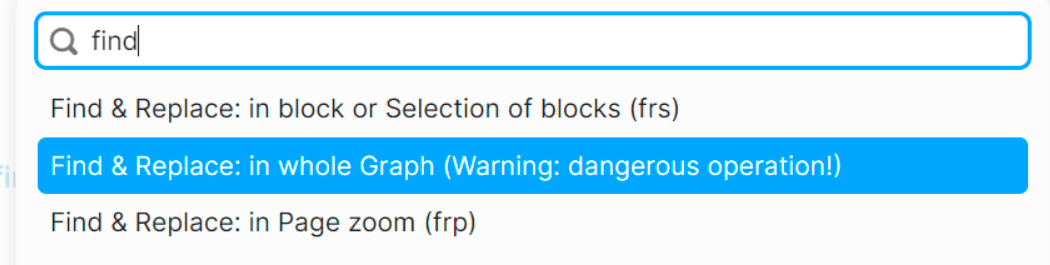
Choose that, click, you'll see a blue pop-up. Now do your thing. turn #[[page]], #page into [[page]].

This was a simple example. There's regex support too.