



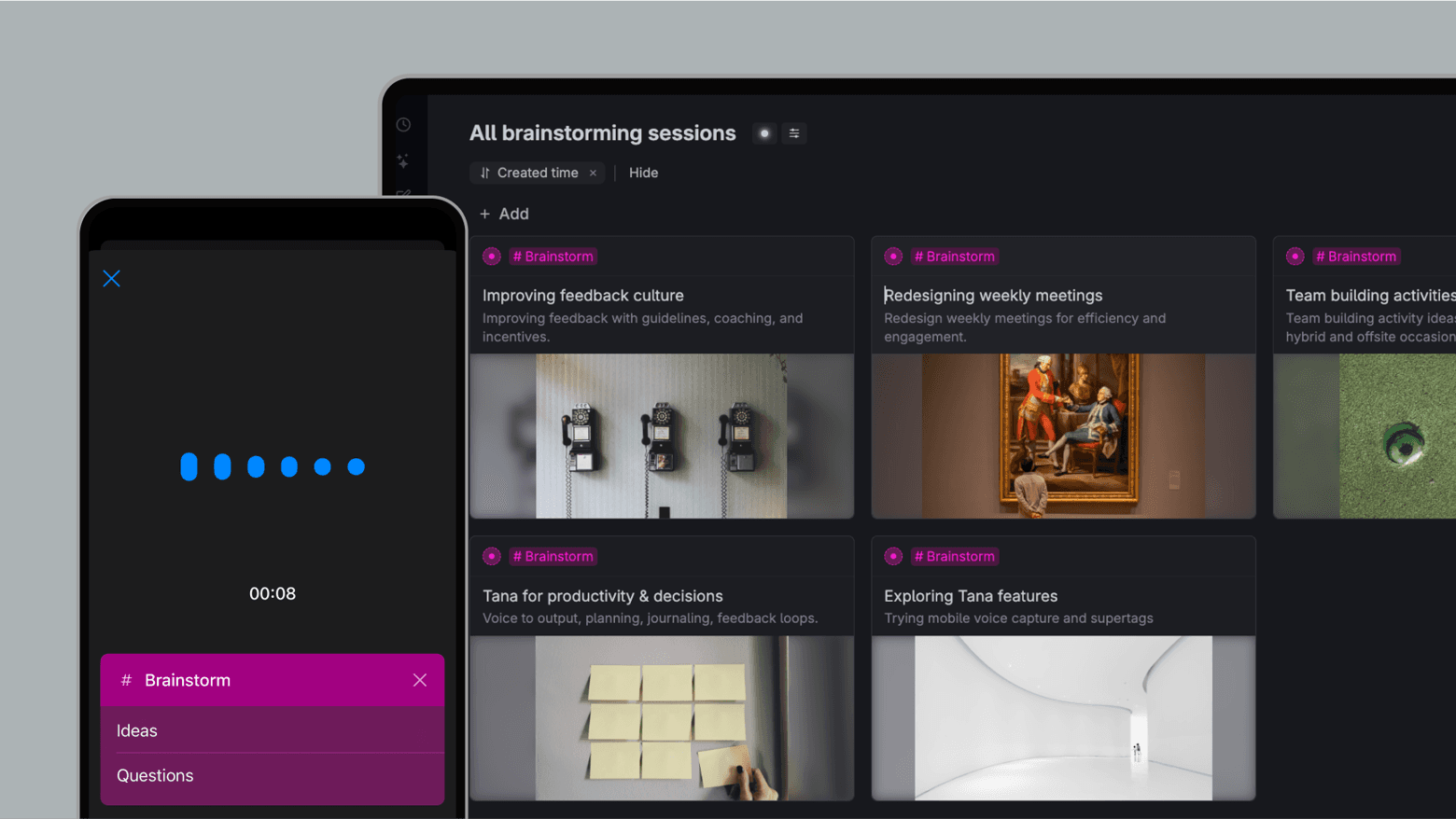
Never lose a thought
**Frictionless Capture with Voice ** - Turn spoken thoughts into neatly organized questions and ideas without interrupting your train of thought. Supports capturing and tagging multiple different ideas in the same recording.
Seamless Integration - Connect brainstorms directly to projects, tasks, and notes within your Tana Outliner workspace.
Idea Library - Build a searchable repository of your ideas and questions, so future you can leverage all your best thinking.

Unlock a new level of creativity—no keyboard required
With this template you can unleash your creativity in a whole new way. Go for a walk and simply talk aloud, the template will identify, tag, and structure the ideas for you.
How to use it
Use the Tana Outliner mobile app to record a voice memo with the #Brainstorm tag.
Speak freely – share rough ideas, open questions, or anything you're exploring. Tana Outliner will automatically extract #Ideas and #Questions.
Click #Brainstorm to view all brainstorm sessions, and #Idea or #Question to see all extracted items in one place.
You can also use #Brainstorm on desktop and write out ideas and questions manually.
This template contains
#brainstorm
Use this supertag when recording voice memos on mobile, and Tana Outliner will automatically extract and tag things with #idea and #Question.
#Idea
Takeaways from the brainstorm recording that are likely ideas
#Questions
Takeaways from the brainstorm recording that are questions to explore.
This template contains:
- 3 supertags
- 2 fields
- 4 search nodes
- Uses "Extract items" option for autofill of mobile voice memos on the #Brainstorm tag